
November 25, 2026 · CHARITY
WhatsApp Business Inbox, Why 4 Devices Is Not Enough
Linking four devices to one WhatsApp Business inbox number works well until your team grows. Here is where the limit starts to hurt, and what a shared team inbox does differently.
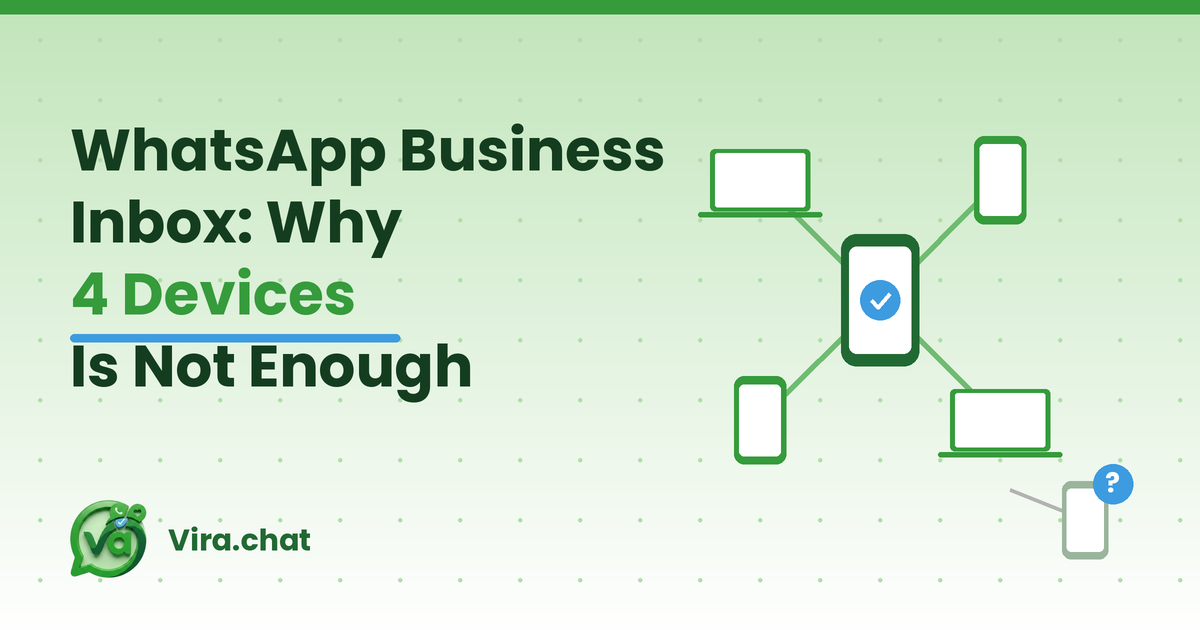
Someone on your team replies from the office laptop, another person picks up from a second phone, and the owner still peeks at the main phone before bed. That works fine, until the fifth person needs in. Here is what the four-device limit really means for your WhatsApp Business inbox, and why most growing teams hit a wall sooner than they expect.
Key Takeaways
One WhatsApp Business account can run on a main phone plus up to four linked devices.
Linked devices are built for convenience, not team workflow, so there is no clear chat ownership by default.
If the main phone goes unused for roughly 14 days, the linked devices get logged out.
A shared team inbox removes the device ceiling by giving each agent their own login instead of fighting over a device slot.
How many devices can use one WhatsApp Business account?
One WhatsApp Business account runs on a main phone plus up to four linked devices, such as computers, tablets, or a second phone. You link them through the Linked Devices menu, scanning a QR code or confirming a phone number. So in practice, five people can be looking at the same conversations.
The linking itself is smooth. On the main phone you tap Settings, then Linked Devices, then Link a Device, and scan the code shown on a laptop or another handset. WhatsApp keeps the chats in sync across all of them, which feels generous when you first set it up.
The catch is in the word "linked." Those extra devices depend on the main phone staying active. Leave the primary handset switched off or unused for around 14 days, and every linked device quietly logs out. For a business, that is a strange thing to build your customer replies on.
Where does the four-device limit start to hurt?
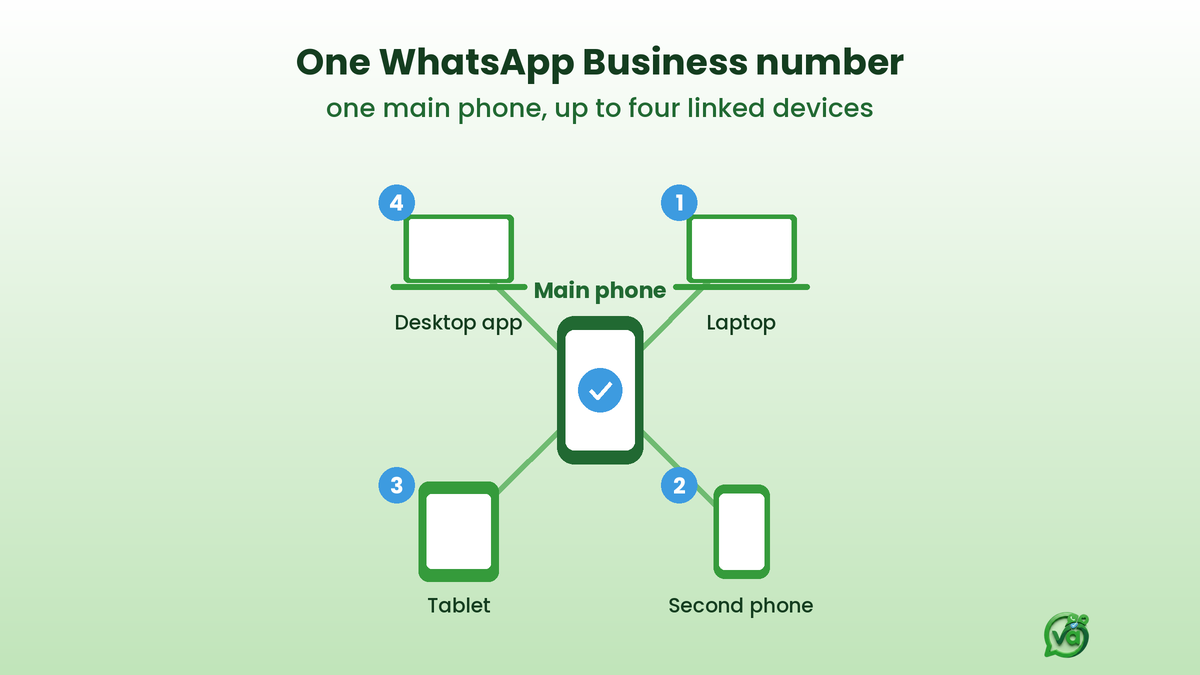
The limit bites the moment your team is bigger than the number of screens. Four linked devices sounds like plenty until you count a support rep, a sales person, a shift replacement, the owner, and maybe a part-timer on weekends. Suddenly you are sharing logins or passing a phone around.
Let me paint the usual picture. A small online shop starts with the owner answering everything from one phone. Orders grow, so they add a laptop for the assistant and a second phone for the person who handles deliveries. Three devices, all good. Then they hire two more people for a busy season, and there are no slots left that make sense for how the team actually works.
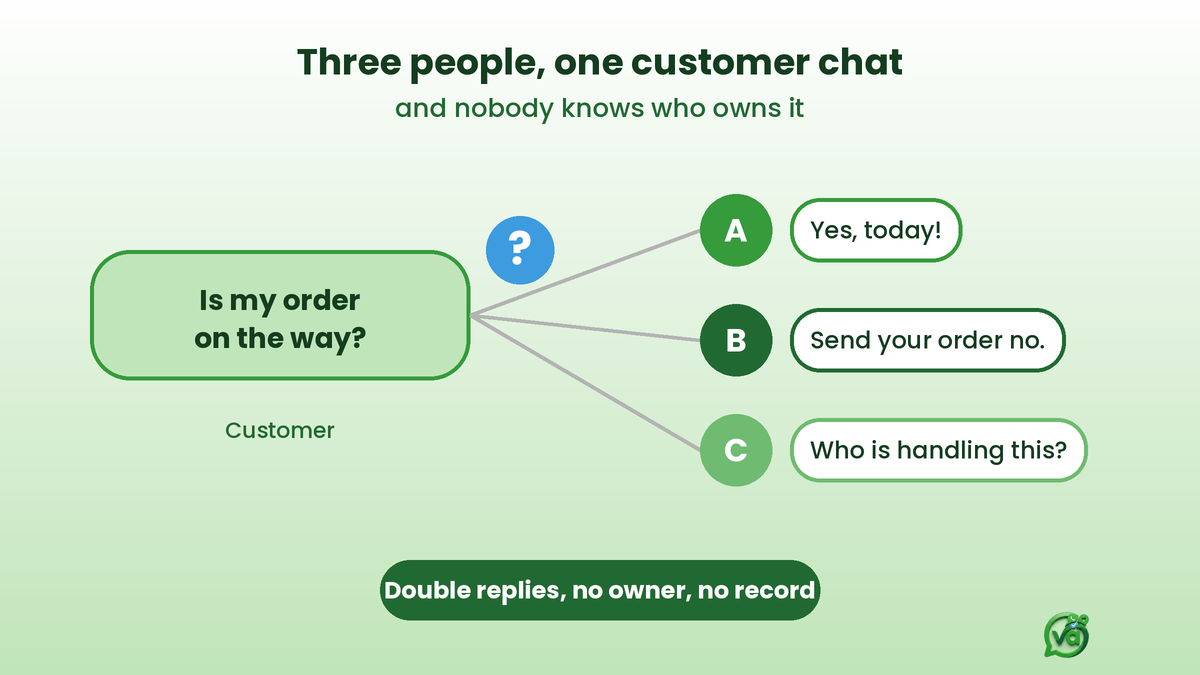
Even before you run out of slots, the cracks show. Two people reply to the same customer because nobody knows the other already answered. A lead gets forgotten because it was "someone else's" chat. There is no way to tell who said what, no notes, no assignment. The device count was never the real problem. The real problem is that WhatsApp's linked devices were designed for one person using several screens, not several people sharing one number.
What is the difference between linked devices and a shared team inbox?
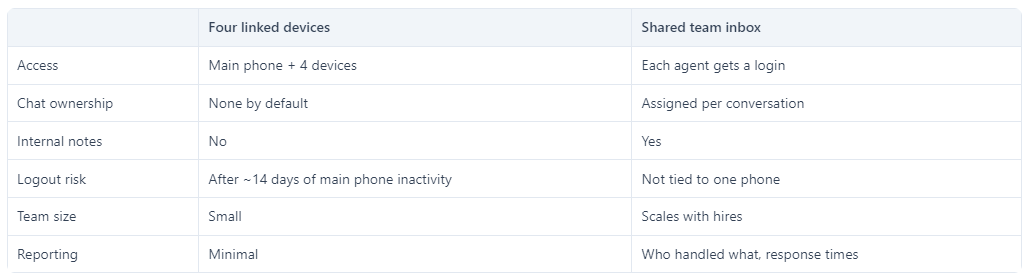
Linked devices mirror the same account on more screens. A shared team inbox gives each person their own login into one central workspace, where chats can be assigned, tracked, and handed off. One is about convenience for an individual. The other is about running a team.
Here is the distinction that matters: with linked devices, everyone sees everything and owns nothing. With a shared inbox, a conversation can belong to a specific agent, carry internal notes, and show its full history. That single shift changes how a team handles volume.
How do you run a WhatsApp Business inbox for a growing team?
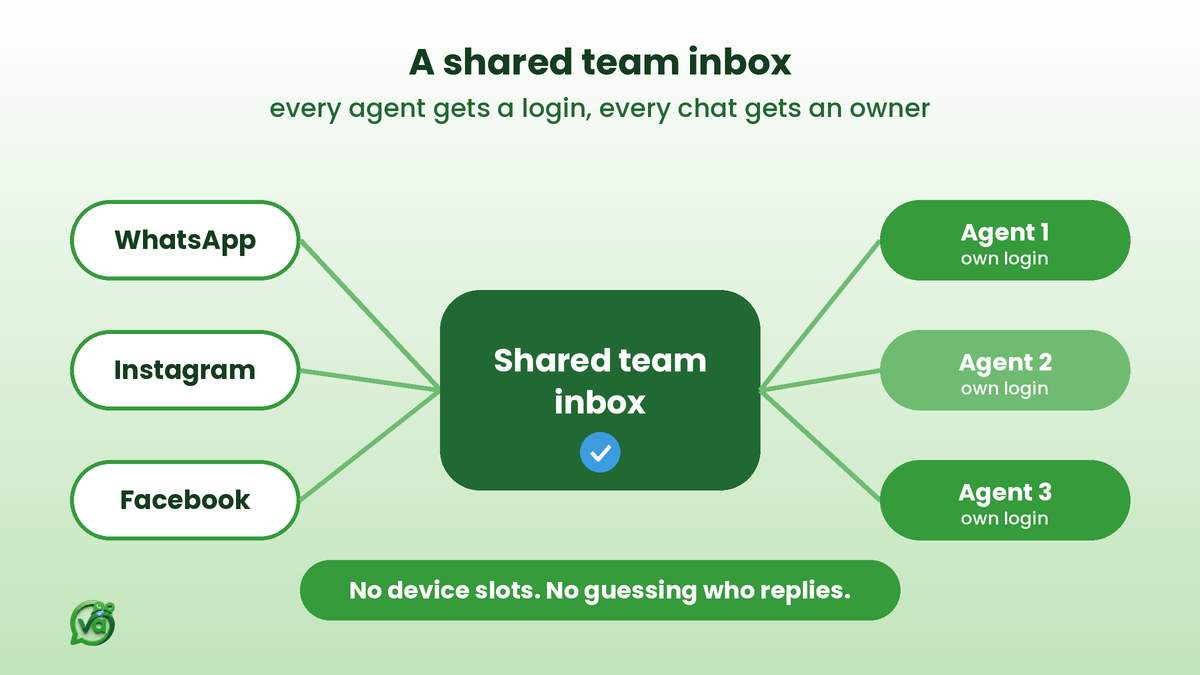
You move from device-sharing to a proper WhatsApp Business inbox that connects through the WhatsApp Business API, so the whole team works from one place with their own accounts. Agents get assigned conversations instead of guessing, and nothing depends on a single phone staying switched on.
The API is the piece that makes this possible. Instead of your number living inside one app on one handset, it connects to a platform where every agent logs in separately. Ten people can work the same number at once. Twenty, if that is what your season demands. The device ceiling simply stops being a factor.
From there you get the things a team actually needs for customer conversation management. Chats can be routed to the right person automatically, so a billing question lands with billing and a sales enquiry lands with sales. That Smart Routing cuts the awkward "let me pass you to a colleague" dance and gets customers an answer faster.
A unified inbox pulls it all together. Your WhatsApp threads sit alongside messages from other channels, so your team is not jumping between apps and tabs to keep up. For businesses doing omnichannel support across Instagram, email, or a website chat widget, that one-screen view is the difference between a calm workflow and constant context-switching.
Lead tracking is the quiet upgrade people appreciate most. When every conversation is assigned and logged, you can see which enquiries turned into sales, which ones went cold, and where follow-up is overdue. On a free-for-all of four linked phones, that visibility just does not exist.
Does a shared inbox mean more complexity to manage?
Not really, and this surprises people. A good shared team inbox feels like a tidier version of what you already do, not a heavier system. Your customers keep messaging the same number, the same way, and never notice anything on the back end.
What changes is on your side. Onboarding a new hire becomes creating a login, not freeing up a device slot or handing over a password. When someone leaves, you remove their access and their chat history stays with the business. The conversations belong to the company now, not to whichever phone happened to hold them.
FAQ
Can five people use one WhatsApp Business number?
Not cleanly with linked devices, since you are capped at a main phone plus four. Through the WhatsApp Business API and a shared inbox, there is no small device limit, so five people or fifty can work the same number with individual logins.
Will my customers know I switched to a shared inbox?
No. They message the same number and see your replies as normal. The teamwork, assignments, and notes all happen behind the scenes.
Do linked devices really log out after two weeks?
Yes. If the main phone stays inactive for roughly 14 days, WhatsApp logs out the linked devices as a security measure. This is one of the clearest signs the feature was built for personal convenience, not business reliability.
What happens to my chat history when I move to a shared inbox?
New conversations live in the shared workspace with full history and notes. Your existing chats stay on the account, and going forward everything is centralized and searchable.
Ready to get past the four-device wall?
If your team has outgrown passing one phone around, a real WhatsApp Business inbox is the fix, with every agent logged in, every chat owned, and nothing hanging on a single handset staying awake. Start the free 14-day Vira.chat trial, connect your number, and see how a shared setup feels compared to juggling linked devices. The four-device limit was never meant to carry a growing team, and once you work without it, you will not want to go back.