
November 3, 2026 · CHARITY
Customer Support Routing: Round-Robin, Keyword or Manual
Customer support routing decides which agent gets each chat. Compare round-robin, keyword and manual routing and see which fits your team.
Picture a Monday morning with forty unread chats sitting in your inbox. Two agents are online, one is on lunch, and a customer who asked a billing question nine minutes ago is typing "Hello??" for the third time. Someone has to decide who answers what, and if that decision happens by accident, somebody always gets dropped. That decision is customer support routing, and the way you handle it shapes your whole team's day.
Good routing is the quiet machinery behind a support team that feels calm instead of frantic. Poor customer support routing is why one agent handles sixty chats while another handles nine, and why your first response time quietly creeps past ten minutes. Let's walk through the three common ways to route chats: round-robin, keyword, and manual. By the end you'll know which one fits the team you actually have, not the team you wish you had.
What is customer support routing?
Customer support routing is the set of rules that decides which agent receives each incoming chat or message. It can distribute conversations evenly, send them based on words in the message, or let a human assign each one by hand. The goal is a faster first response and a balanced agent workload so no customer waits and no agent drowns.
That's the short version. The longer version depends on your volume, your team size, and how specialized your agents are. A two-person team needs almost nothing. A twelve-person team across three time zones needs real structure, or it falls apart by Wednesday.
Round-robin: fair and simple
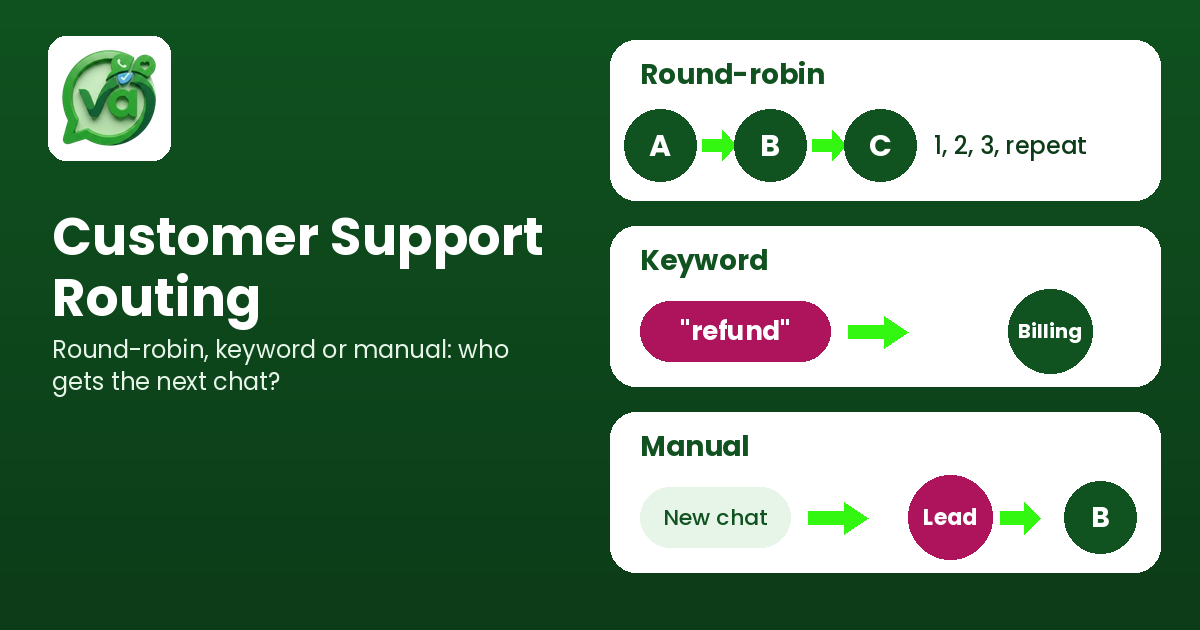
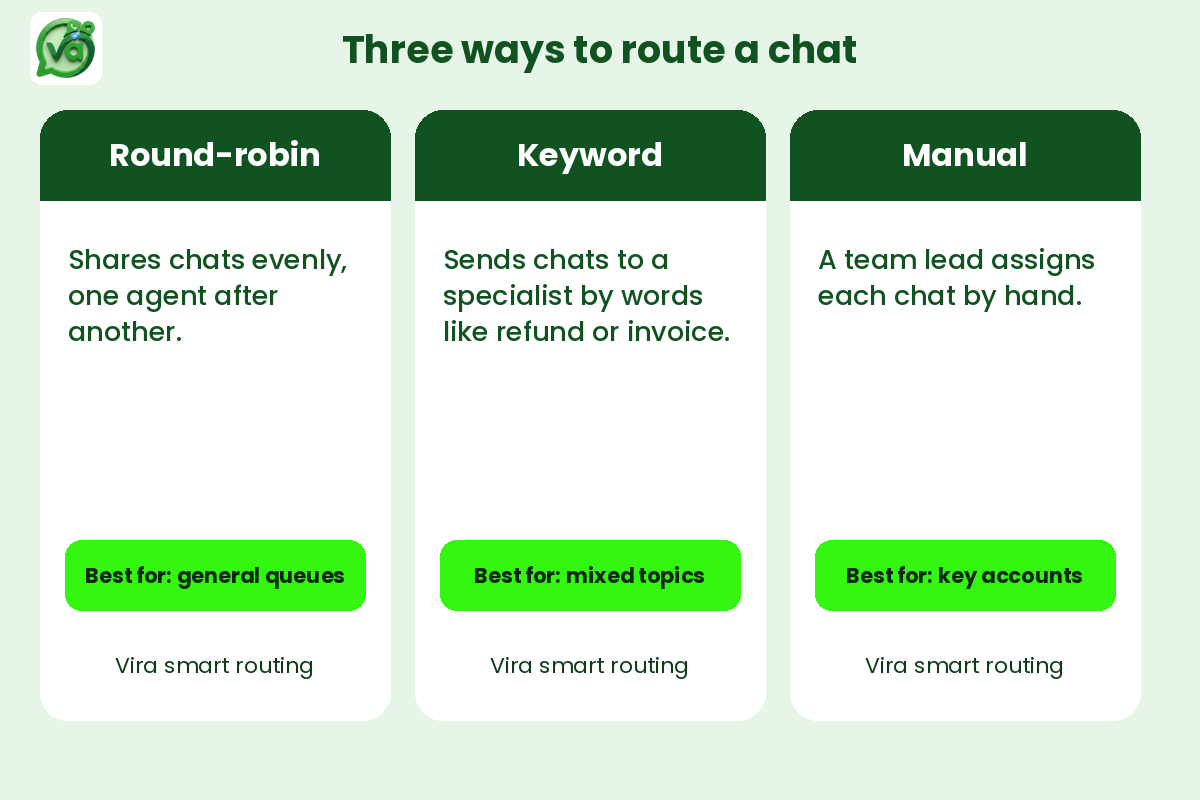
Round-robin is the vending machine of routing. Each new chat goes to the next available agent in line, then back to the top. Agent one, agent two, agent three, repeat. Nobody chooses, the system just rotates.
The appeal is fairness. Over a shift, everyone gets roughly the same number of conversations, which keeps the workload balanced and stops the loudest agent from cherry-picking the easy chats. It's also fast to set up. You turn it on and walk away.
Where it struggles is specialization. Round-robin doesn't know that Agent two is your refunds expert or that Agent four speaks fluent Portuguese. It hands the Portuguese refund question to whoever's next, and now that agent is googling translations and pinging a teammate for help. For a general support queue where most questions look alike, round-robin is hard to beat. For a team with clear specialists, it leaves value on the table.
One more thing worth saying: round-robin works best when your agents are genuinely interchangeable. The more your product has distinct, deep areas, the less this model earns its keep.
Keyword routing: send it to the right brain
Keyword routing reads the incoming message and sends it based on what it finds. A chat containing "invoice" or "refund" goes to billing. One with "login" or "password" goes to the technical crew. "Cancel" might go straight to your retention person who's good at talking people down from the ledge.
This is where things get smart. Customers reach the right expert on the first try, which cuts the back-and-forth and shortens resolution time. Your billing specialist isn't fielding password resets, and your tech person isn't fumbling through return policies. Everyone spends more time in their lane.
The catch is upkeep. Keyword rules need tending. People phrase things in ways you never predicted. Someone writes "my money never came back" instead of "refund," and the rule misses it entirely. You'll spend the first few weeks watching what slips through and patching your keyword list. It's worth it, but it isn't fire-and-forget.
Keyword routing also assumes your departments are cleanly divided. If three agents all handle billing, you still need a second layer, usually round-robin, to decide which of the three gets the chat. The two methods pair well together: keyword to find the right team, round-robin to balance within it.
Manual assignment: the human touch
Manual assignment means a person, often a team lead or a triage agent, reads each incoming chat and hands it to whoever makes sense. No automation, just judgment.
This sounds old-fashioned, and for high volume it is. But manual routing shines in two situations. First, low volume with high stakes: if you handle twenty premium accounts and every conversation matters, a human who knows the clients will route far better than any rule. Second, messy, nuanced requests that don't fit neat categories. A complaint that's half technical, half billing, and entirely emotional needs a person to decide where it lands.
The cost is obvious. Manual assignment doesn't scale. The person doing the routing becomes a bottleneck, and when they step away for lunch, the whole flow stalls. It also adds a delay before the real work even starts, which drags on your first response time.
Most teams I've seen use manual as a fallback rather than a default. Automation handles the clear cases, and anything the rules can't confidently place drops into a shared queue where a human picks it up. That keeps the bottleneck small.
How to actually choose
Start with two numbers: how many chats you get a day, and how specialized your agents are.
If you're under roughly fifty chats a day with agents who can all handle most questions, round-robin alone will serve you fine. Don't overbuild. A rule you have to maintain is a rule that'll rot the moment you get busy.
Once volume climbs or your agents split into real specialties, layer keyword routing on top. Route by department first, then round-robin inside each department to keep workloads even. This combination covers the majority of growing support teams without becoming a maintenance nightmare.
Keep manual assignment in reserve for the chats that confuse your rules. A small "unassigned" bucket that a lead clears a few times a day gives you a safety net without turning anyone into a full-time traffic cop.
And measure. According to research from the Harvard Business Review, reducing the effort a customer spends to get an issue solved is a stronger driver of loyalty than trying to wow them. Routing a chat to the right person the first time is effort reduction in its purest form. Fewer transfers, fewer repeated explanations, less frustration.
Speed matters too. Various customer messaging studies have found that first response time is one of the metrics customers notice most, and every transfer between agents adds minutes. That's the real argument for getting routing right: it's not about tidiness, it's about the person on the other end not having to repeat their story three times.
Where a unified inbox fits in
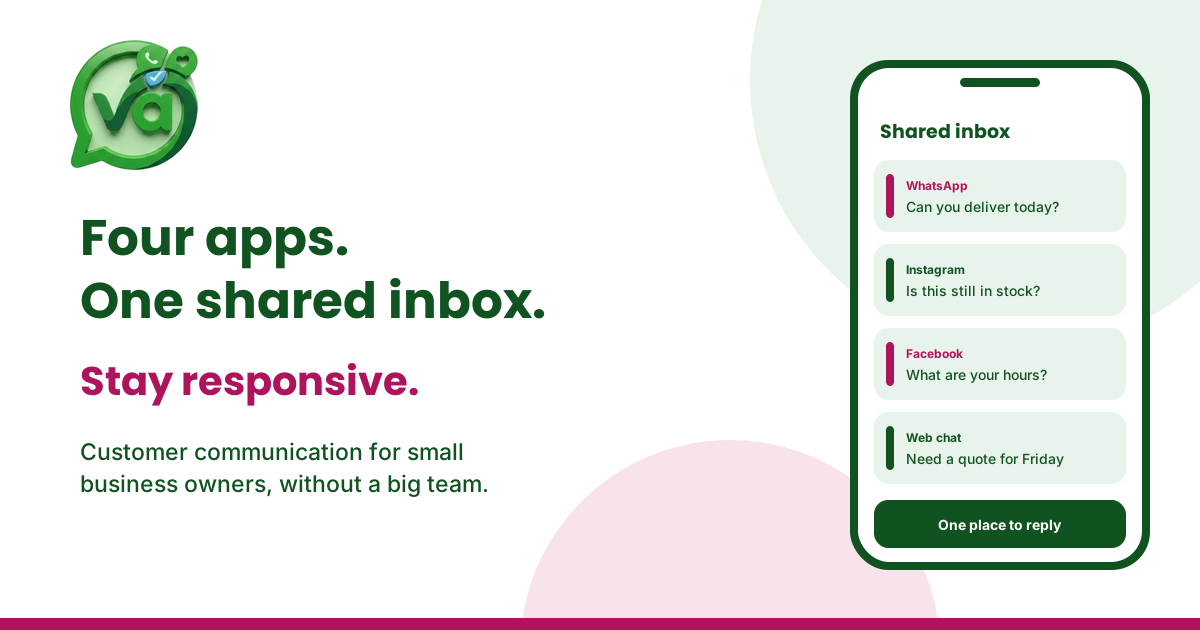
All three routing methods assume one thing: your messages land in a single place where rules can act on them. If WhatsApp lives on one phone, Instagram on another, and website chat on a third, no routing method can help you, because there's nothing to route.
That's the job of a shared inbox, or more completely, a unified inbox that pulls every channel into one view. Vira.chat is a unified inbox for WhatsApp, Instagram, Facebook, TikTok and website chat, built by Fansoft Solutions. With everything flowing into one place, you can set round-robin for your general queue, keyword rules for billing and tech, and keep a manual bucket for the odd cases, all from the same screen.
It also keeps WhatsApp Business conversations sitting right next to your Instagram DMs and site chats, so an agent sees the full picture instead of hopping between apps. If you're thinking about how routing connects to passing chats between agents cleanly, our earlier piece on support handoffs covers that next step.
Ready to see your chats route themselves instead of piling up? Register for a 14-day trial of Vira.chat and set up your first routing rule in an afternoon.
Frequently asked questions
What's the difference between round-robin and keyword routing?
Round-robin distributes chats evenly to agents in rotation, regardless of content, which keeps workloads balanced. Keyword routing reads the message and sends it to the right team based on specific words. Round-robin is about fairness; keyword routing is about matching customers to the right expert.
Is manual chat assignment worth it for a growing team?
For most growing teams, manual assignment works best as a fallback rather than a primary method. It gives a human the chance to place tricky or high-value chats correctly, but it becomes a bottleneck at high volume. Use automation for clear cases and manual routing only for the ones rules can't confidently handle.
Do I need a unified inbox to use these routing methods?
Yes, in practice. Routing rules can only act on messages that sit in one place. A unified inbox or shared inbox collects every channel, WhatsApp, Instagram, website chat and more, so round-robin, keyword and manual routing all work from a single view instead of scattered apps.