
November 23, 2026 · CHARITY
Unified Inbox: When an Agent Quits, Chats Stay Put
A unified inbox stores customer conversations in the team's account, not on one agent's phone, so a resignation never means lost chats or lost leads.
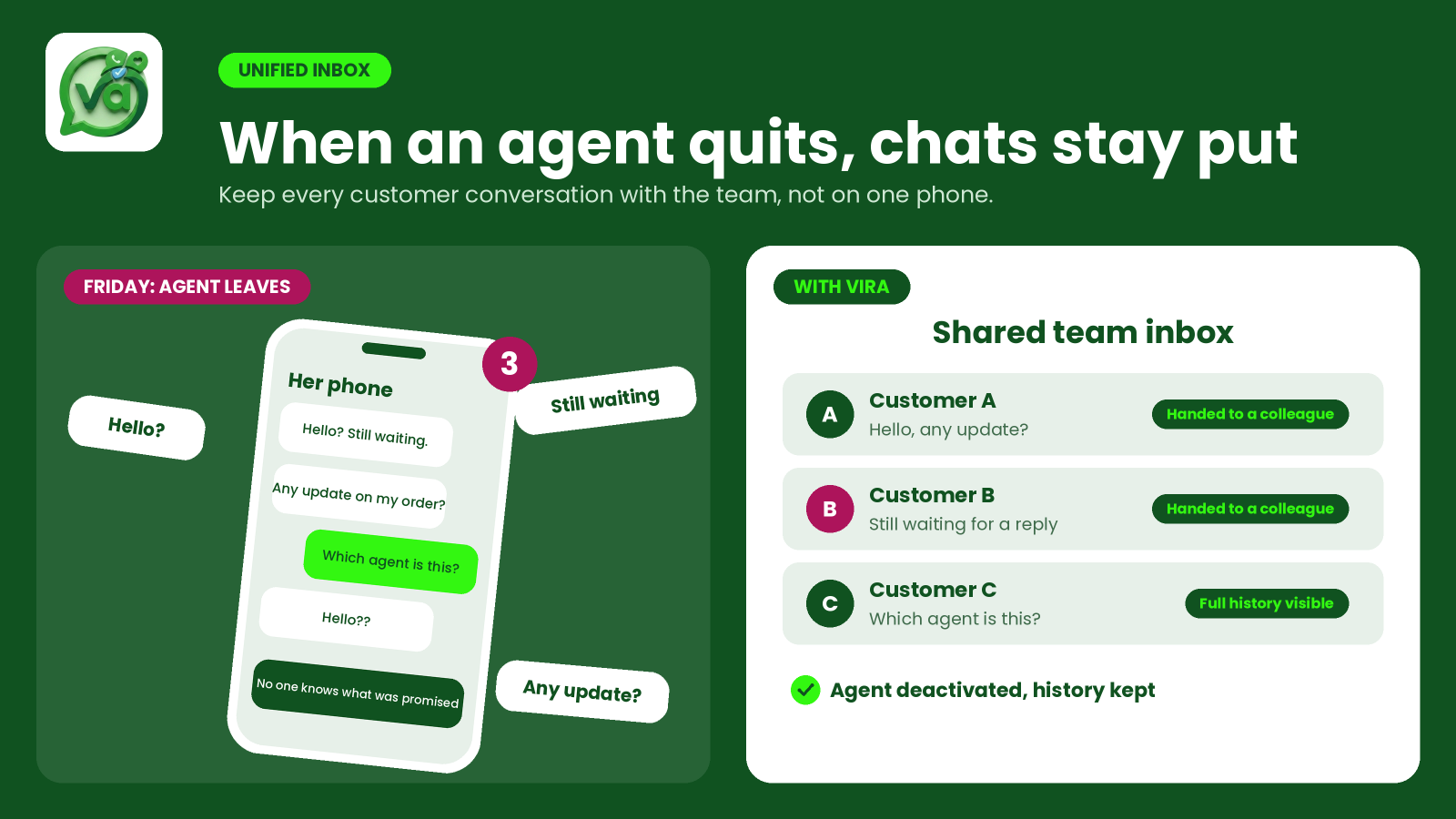
An agent hands in her notice on a Friday afternoon. She's been your best closer for two years, and half your regular customers message her by name. Problem is, those conversations live on her personal phone, logged into her own apps, with her own saved replies. By Monday morning three customers are still waiting on answers she promised, and nobody on the team knows what she committed to. That gap, the one between a resignation and a scramble, is exactly what a unified inbox is built to close.
When every chat sits in one shared place that belongs to the business and not to a single person, a departure stops being a crisis. It becomes a login you switch off.
Where customer chats go when an agent leaves
Here's the uncomfortable truth about how most small teams handle customer messaging: it's held together by individual phones and good intentions.
An agent replies to WhatsApp from her own handset. She saves customer numbers under nicknames only she understands. When a teammate needs to cover for her, she forwards a few screenshots and says "just follow up with these three." There's no central record of what was said, what was offered, or what the customer is actually waiting for.
So when that agent leaves, her knowledge leaves with her. The chats don't transfer. They sit in an app tied to her SIM card and her personal account. You can ask nicely for access, but you're relying on the goodwill of someone who no longer works for you. Not a great position to negotiate from.
The deeper issue is ownership. A conversation with no clear owner inside your system is a conversation you can't manage, audit, or recover. It exists, but only on someone else's device.
What one resignation costs a support team
People underestimate this because the cost doesn't show up as a single line on a report. It leaks out in pieces.
Start with the customers left hanging. If your departing agent was handling even ten active conversations, those people are now waiting on replies that aren't coming. Some will chase you. Some will quietly go to a competitor. A lead that was warm on Thursday is lukewarm by the following week and cold by the next, and warm leads are the expensive ones to generate in the first place.
Then there's the repetition tax. When a new agent finally picks up a thread with no history, the customer has to explain everything again: their order number, the problem, the promise someone made them. Customers hate repeating themselves. Every time they do, your brand looks a little less organized.
And a manager ends up doing archaeology. Digging through screenshots, calling the former employee, piecing together context by hand so the team can carry on. That's hours of senior time spent recovering information that should never have been scattered in the first place. For a growing team, strong team accountability isn't a nice-to-have. It's the thing that keeps one exit from turning into a week of damage control.
How does a unified inbox keep chats when an agent leaves?
A unified inbox stores every conversation in a shared team account instead of on one agent's phone. When an agent leaves, an admin deactivates the login, the full chat history and media stay in Vira, and open conversations are handed to a colleague, so customers never have to start over.
That's the whole shift in one sentence. The chats belong to the business. The person is just granted access to work on them, and access can be given or taken away in seconds.
Unified inbox features that protect your team
A shared inbox only solves the problem if it's set up with the right controls. Pooling everyone's messages into one open feed with no structure creates a different mess. Here's what actually matters when you're protecting a growing team.
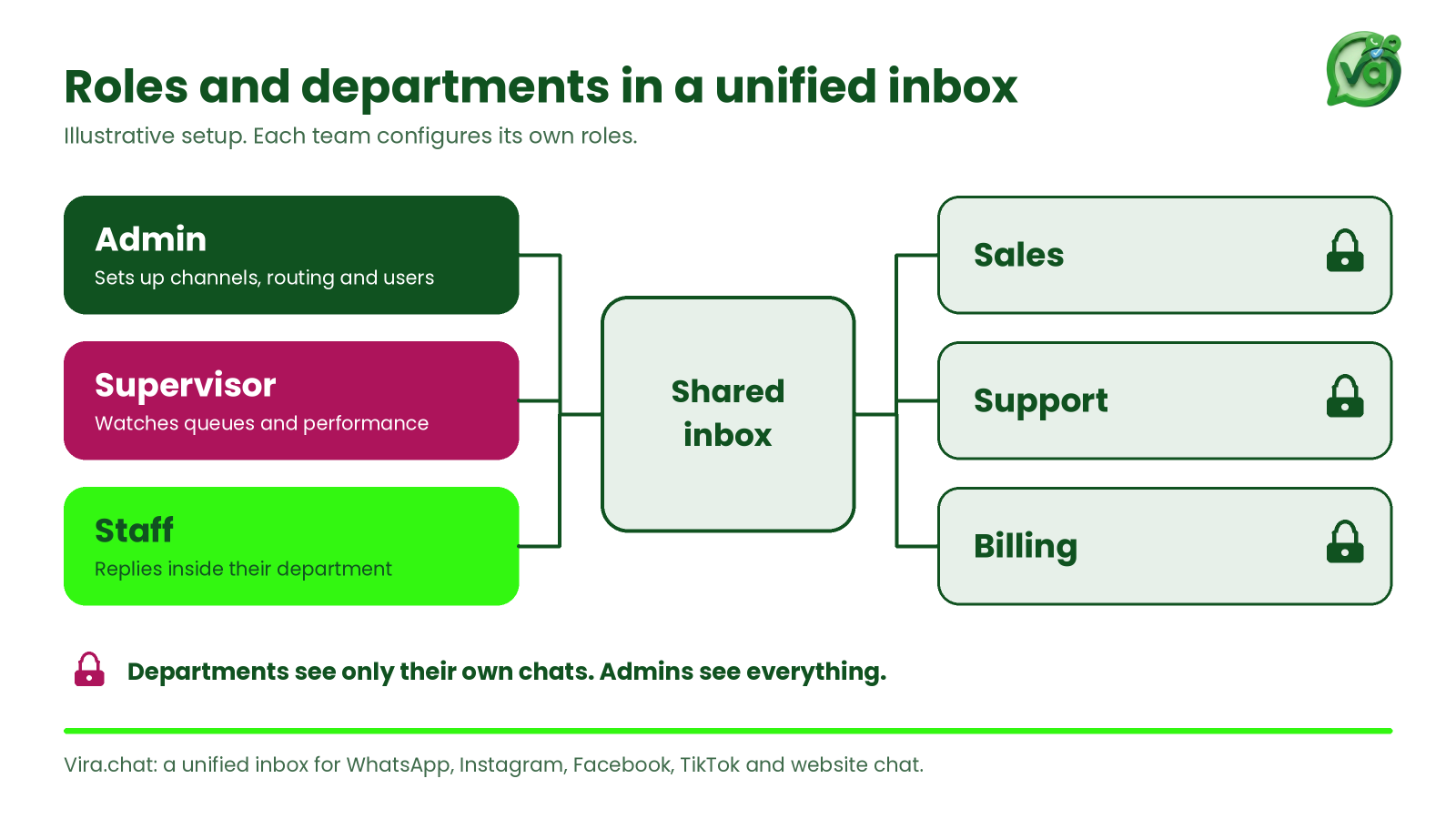
Role-based access that fits how you work. Not everyone needs to see everything. With Admin, Supervisor and Staff roles, you decide who manages settings, who oversees a team, and who handles conversations day to day. Departments can be walled off so a sales rep sees sales chats and a support rep sees support chats, nothing more. This role-based access keeps the inbox tidy and keeps sensitive conversations in front of the right eyes only.
Instant deactivation without losing a word. When someone resigns, an admin switches off their login immediately. Their access ends, but every message, note, and attachment they handled stays exactly where it was. No frantic password changes, no hoping they log out of their own accounts, no begging for a handover. The door closes, the work stays inside.
Audit logs so you know who did what. If a customer says they were promised a refund, you can see who said it and when. Audit logs turn "he said, she said" into a timestamped record. This is the backbone of real team accountability, and it's quietly one of the most useful features once your team grows past three or four people.
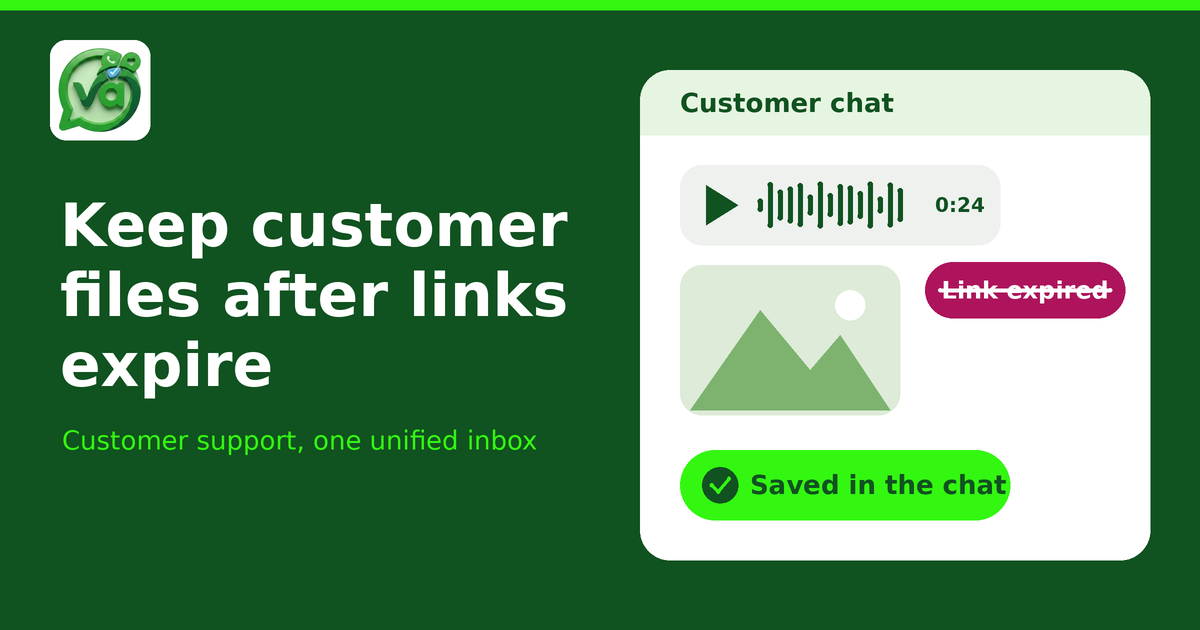
Media that doesn't vanish. This one catches people out. Photos, videos, voice notes, and documents shared over messaging platforms often sit behind links that expire. WhatsApp, for example, doesn't keep your media on its servers indefinitely, as explained in its own Help Center. A proper inbox stores those files on its own system, so a voice note explaining a complaint or a photo of a damaged product is still there months later, long after the original link would have died.
Smart routing and clean hand-offs. New messages go to the right department automatically, and agents can claim a chat or hand it off to a colleague when they need to. When someone leaves, their open conversations don't fall into a void. They get reassigned, and the next person picks up with full context already loaded. The customer feels a seamless continuation, not a cold restart.
Put those pieces together and the resignation on Friday becomes a two-minute task on Monday: deactivate the account, reassign the open threads, carry on. No lost leads. No apologetic "sorry, can you remind me what this is about" messages.
The case for owning your conversations
I'll be blunt about where I land on this. If your customer support and sales still run through personal phones, you don't have a process, you have a dependency. You're one resignation, one lost phone, or one bad breakup with an employee away from a serious problem. That risk compounds as you add people.
Moving to a shared inbox isn't about surveillance or distrust. It's about making sure the business owns its relationships with its customers, which is the single most valuable asset most companies have. Agents come and go. The conversations, the history, the context, and the goodwill should stay put.
The teams that handle growth well tend to make this switch early, usually around the point where a second or third agent joins and screenshots start flying around in a group chat. If you're already there, that's your signal.
A unified inbox gives you that ownership without slowing anyone down. Your team keeps replying from one place, you keep a complete record, and when someone eventually leaves, and someone always eventually leaves, the chats don't walk out the door with them.
Vira.chat is a unified inbox for WhatsApp, Instagram, Facebook, TikTok and website chat, built by Fansoft Solutions. If you've ever had to chase a former employee for customer context, that's the gap worth closing before the next resignation lands on your desk.
Published Nov 23, 2026. Updated Nov 23, 2026.