
November 18, 2026 · CHARITY
Unified Inbox Software: Team Chat Without Screenshots
Unified inbox software should keep internal questions out of personal chat apps. See how Vira Team Chat lets agents ask colleagues while customers wait.
Unified inbox software puts every customer message in one queue, but the moment an agent needs a colleague's answer, many teams fall back on screenshots and personal chat apps. The customer waits, the answer travels outside the system, and the thread loses its history. It's a small habit that quietly drains your support team, and most leads don't notice it until a refund goes sideways and nobody can find the conversation where it was approved.
Let me show you a better way to handle the "hang on, let me ask someone" moment.
Why unified inbox software still leaves agents using screenshots
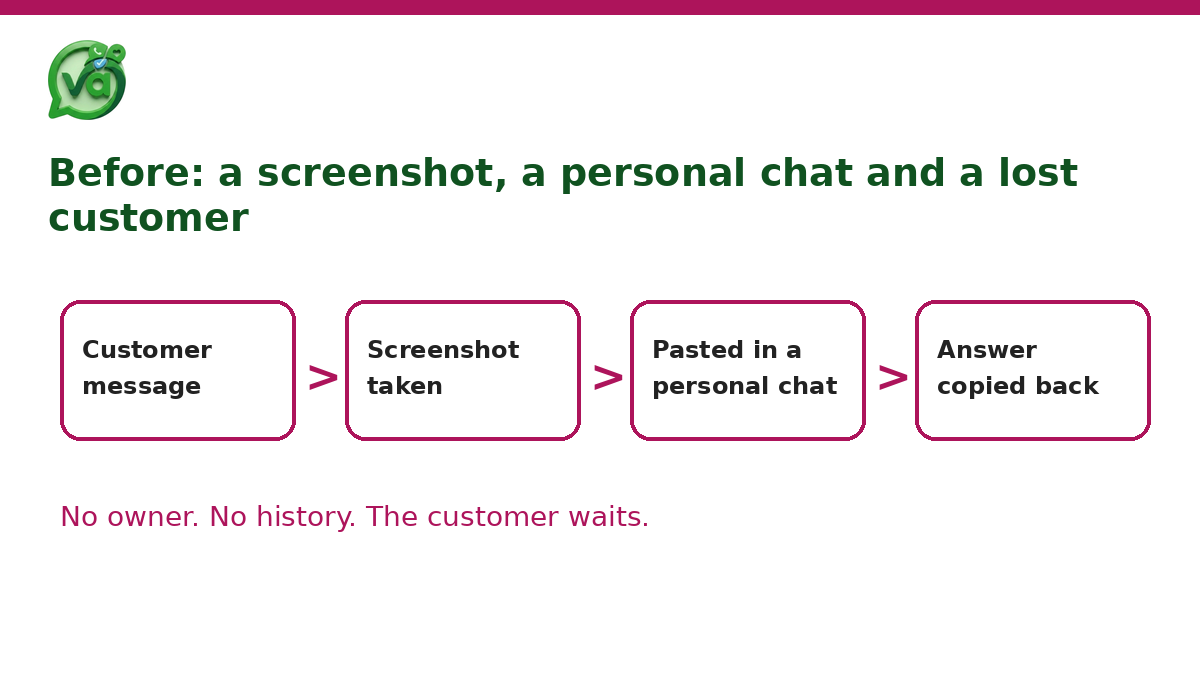
Here's a scene you'll recognize. A customer asks whether a product is back in stock. The agent isn't sure, so they do what feels fastest: screenshot the chat, paste it into a personal WhatsApp group with a quick "anyone know if we have these?", and wait. Someone replies five minutes later. The agent reads it, switches back to the customer window, and retypes the answer.
Multiply that by a refund question, a delivery delay, a pricing exception, and you've got a team that spends half its day bouncing between the actual inbox and a group chat on their own phones.
The frustrating part is that the unified inbox was supposed to end exactly this. You brought every channel into one place so nobody would be juggling apps. But the tool solved the customer-facing side and left the internal side wide open. Agents still need each other, and if the software gives them no clean way to ask, they'll reach for whatever's in their pocket.
What a screenshot costs a support team
The obvious cost is speed. Every screenshot round trip adds minutes, and the customer sits there watching the typing dots come and go.
But the quieter cost is worse. When answers travel through personal chat, there's no record attached to the customer. If a manager later asks "who approved that refund?", the trail is a screenshot buried in someone's gallery. Customer details, names, order numbers, sometimes payment references, end up scattered across private phones with no audit trail and no way to wipe them when someone leaves.
On WhatsApp specifically, the delay bites harder because of the clock. The 24-hour customer service window opens when a customer messages you, and once it closes you can only reach them with a pre-approved template, not a normal reply. So every minute an agent spends chasing a colleague in a side chat is a minute eaten off that window. Stall long enough and your free-form reply simply won't send. You're now paying for a template message to say something you could have said for nothing twenty minutes ago.

That's the real price of the screenshot habit: slower replies, no history, and a compliance gap you'd rather not explain to anyone.
What does unified inbox software need for internal teamwork?
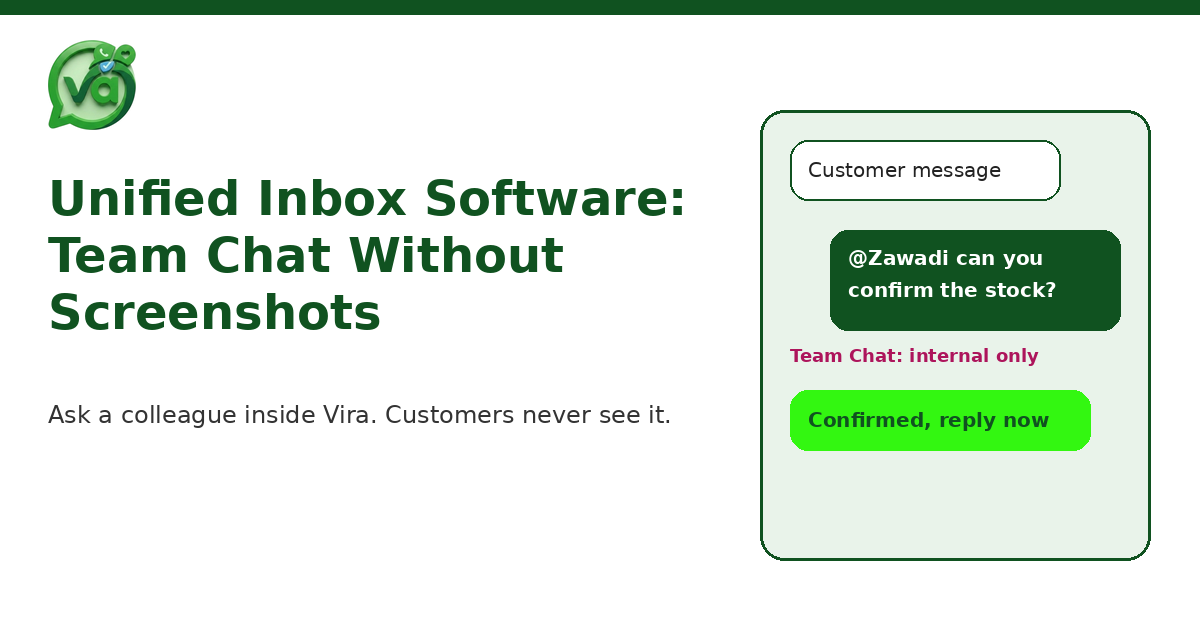
Unified inbox software should let agents consult colleagues without leaving Vira. That means internal groups and direct messages with @mentions that customers never see, alongside the shared inbox. Questions get answered in context, the thread keeps its history, and no screenshots travel through personal chat apps.
If the internal conversation lives in the same tool as the customer conversation, two good things happen at once. Agents stop context-switching, and every answer stays tied to the work it belongs to. That's the whole idea behind building team chat for support teams directly into the inbox instead of bolting on a separate app.
How Team Chat works inside Vira
The point of Team Chat is that it feels like asking the person next to you, except it's logged and it's private from the customer. Here's the flow in practice.
Open Team Chat from the same workspace as the shared inbox. No new tab, no second login, no switching to your phone.
Start a group or a direct message with the colleague you need. Groups work well for a whole shift or a product line, direct messages for a quick one-to-one.
@mention the person who actually knows the answer so they get pinged, instead of hoping someone in a noisy group notices.
Ask your question right there while the customer conversation stays open beside it. You're not copying anything out, and nothing about this chat is visible to the customer.
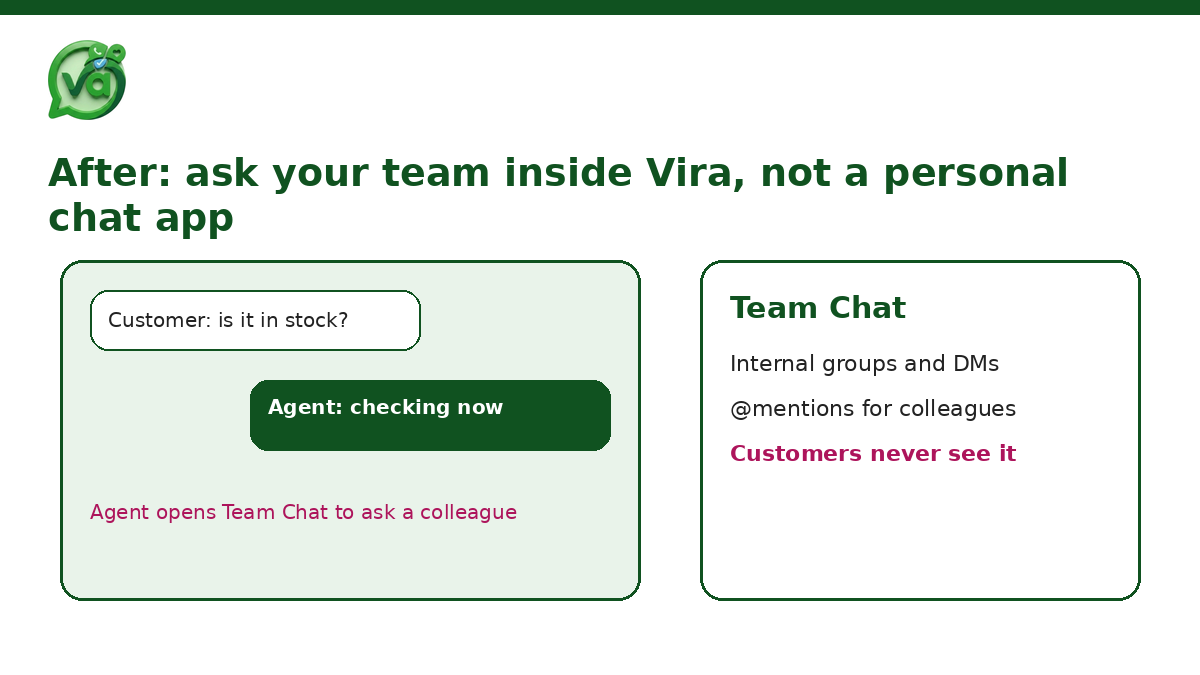
Get the answer, then reply to the customer in the inbox you were already in.
No screenshot, no paste, no retyping. The question and its answer stay inside the system where your team actually works, which means next week when the same question comes up, it's searchable rather than lost.
What I like about this setup is how boring it is in the best way. There's nothing clever to learn. Anyone who has used a messaging app already knows how to send a direct message and @mention a teammate. The difference is that this one sits right next to the customer queue, so the fix doesn't ask your agents to change their habits, it just gives them a better place to do what they were already doing.
A quick before-and-after
Think about that stock question again.
Before: screenshot, switch apps, post in a personal group, wait, read, switch back, retype. Six steps, two apps, and a customer detail now living on a private phone.
After: @mention your warehouse colleague in Team Chat, read the reply, answer the customer. Three steps, one tool, and a record that stays with the account.
When you run that math across a day of a busy support team, you're not saving seconds, you're saving hours. And you're closing the gap that lets customer data wander off into personal devices.
Who this actually helps
Small teams feel it first because everyone wears several hats and questions fly constantly. A business owner answering alongside two agents doesn't want to be pulled into a separate group chat every time someone needs a price confirmed. A quick @mention in the inbox is enough.
Growing teams feel it differently. Once you're past a handful of agents, the personal-group approach falls apart entirely, because nobody can tell which conversation a screenshot belongs to. That's when internal collaboration needs to live in the same place as the work, or things get messy fast.
And for support leads, the win is visibility. You can see how questions get resolved, which answers keep coming up, and where your agents are getting stuck, without reading over anyone's shoulder. The conversations that used to disappear into private phones are now part of how your customer support team runs.
Try unified inbox software with Team Chat free for 14 days
If your agents are still screenshotting chats into a group on their own phones, you already know the fix isn't "tell them to stop." They do it because they have no better option inside the tools you gave them. Give them the better option and the habit takes care of itself.
Vira.chat is a unified inbox for WhatsApp, Instagram, Facebook, TikTok and website chat, built by Fansoft Solutions. Team Chat sits inside the same workspace, so your agents can ask a colleague, get an answer, and keep the customer moving without ever leaving the conversation.
Start a free 14 day trial of Vira and move your internal questions off personal apps and into the inbox, where they belong.
The best support teams aren't the ones that never need to ask each other anything. They're the ones that can ask quickly, answer in context, and keep a clean record of how they got there. That's a small change in where the question lives, and a big change in how fast your customers get helped.